
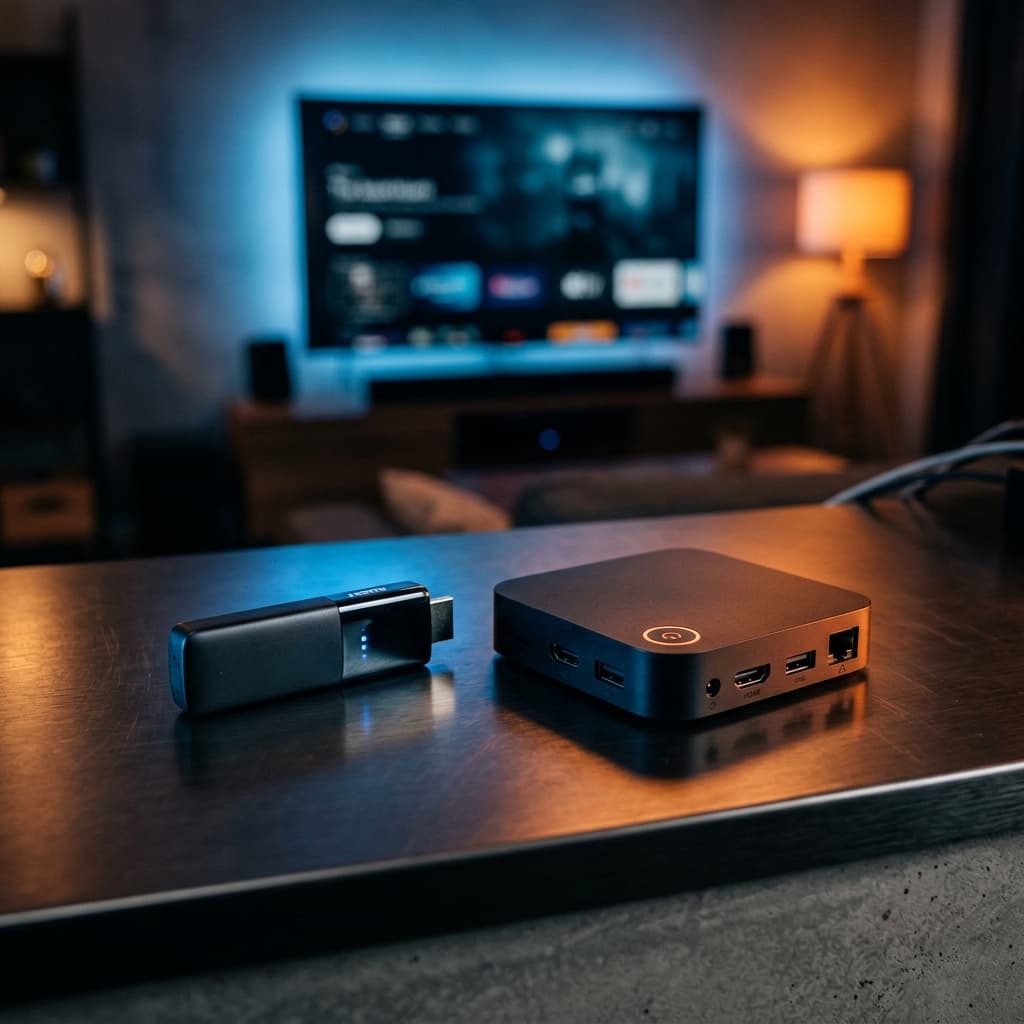
Choosing the right streaming device is one of the most important decisions you will make for your IPTV setup. The wrong hardware can turn a premium subscription into a frustrating, buffering mess. In this guide, we compare the Amazon Firestick and Android TV Boxes across every metric that matters for IPTV in 2026.
📋 Table of Contents
Quick Overview
Both devices can run IPTV services, but they serve different types of users. The Amazon Firestick is a plug-and-play stick that prioritizes simplicity and affordability. An Android TV Box is a full set-top box that prioritizes raw performance, storage, and flexibility.
The key difference for IPTV users comes down to three things: processing power (affects buffering), app availability (affects which IPTV player you can use), and connectivity (wired ethernet vs WiFi only).
Amazon Firestick: Full Review for IPTV
The Amazon Firestick is a small HDMI dongle that turns any TV into a smart TV. The current flagship model, the Firestick 4K Max (2nd Gen), runs on a 1.8GHz quad-core processor with 2GB of RAM and 16GB of storage — a significant upgrade over older models.
Performance for IPTV
The Firestick 4K Max handles most IPTV streams without issue. It supports 4K Ultra HD, HDR10, HDR10+, HLG, and Dolby Vision. For live sports in 1080p or 4K at 60 FPS, it performs well on a stable WiFi connection of 25 Mbps or higher. However, during peak hours or on congested WiFi networks, you may notice occasional micro-stutters that a wired connection would eliminate.
Installing IPTV Apps on Firestick
The main limitation of the Firestick for IPTV is that the Amazon App Store does not carry most IPTV players. Apps like TiViMate and IPTV Smarters Pro require sideloading through the Downloader app. This is a simple one-time process, but it adds a step that Android box users do not need to take.
Apps available directly on the Amazon App Store include IBO Player and GSE Smart IPTV, which work well with Best4IPTV credentials.
Firestick Pros & Cons for IPTV
- ✅ Price: The Firestick 4K Max costs around $39–$59, making it the most affordable entry point.
- ✅ Portability: Fits in your pocket. Perfect for hotel rooms, second TVs, or travel.
- ✅ Easy setup: Plug in, connect to WiFi, and you are streaming in minutes.
- ✅ Regular updates: Amazon pushes frequent Fire OS updates that improve performance.
- ❌ WiFi only: No built-in ethernet port. Requires a separate USB-C ethernet adapter (~$10) for a wired connection.
- ❌ Sideloading required: Best IPTV apps like TiViMate need manual installation.
- ❌ Amazon ads: The home screen shows Amazon Prime promotions that cannot be fully removed.
Android TV Box: Full Review for IPTV
Android TV Boxes run a full version of Android TV or Google TV, giving you access to the Google Play Store and a much wider range of apps. The market ranges from budget boxes under $30 to premium devices like the Nvidia Shield TV Pro at $199.
Top Android Boxes for IPTV in 2026
- Nvidia Shield TV Pro ($199): The undisputed king. Tegra X1+ chip, 3GB RAM, gigabit ethernet, USB 3.0 ports, and AI upscaling. Zero buffering even on 4K streams.
- Xiaomi Mi Box S 4K ($59): Best budget Android box. Runs stock Android TV, supports 4K HDR, and has a USB port for ethernet adapters.
- Formuler Z10 Pro Max ($129): Built specifically for IPTV with a dedicated MyTVOnline5 app and hardware-accelerated H.265 decoding.
Performance for IPTV
High-end Android boxes completely eliminate buffering issues that WiFi-dependent devices suffer from. The gigabit ethernet port on the Nvidia Shield delivers a rock-solid, low-latency connection that is ideal for live sports at 4K 60 FPS. The extra RAM (3GB vs 2GB on Firestick) also means smoother channel switching and faster EPG loading.
Android Box Pros & Cons for IPTV
- ✅ Google Play Store: Install TiViMate, IPTV Smarters Pro, and IBO Player directly — no sideloading needed.
- ✅ Wired ethernet: Most boxes include a built-in ethernet port for a stable, buffer-free connection.
- ✅ More storage & RAM: Better multitasking and larger app libraries without slowdowns.
- ✅ USB ports: Connect keyboards, external drives, or ethernet adapters.
- ❌ Price: Quality boxes cost $60–$200, significantly more than a Firestick.
- ❌ Size: Requires space on your TV stand and a separate power cable.
- ❌ Variable quality: Cheap generic Android boxes under $30 often have poor processors that cause buffering.
📊 Head-to-Head Comparison Table
Best IPTV Apps for Each Device
Both devices support the major IPTV players, but the installation method differs:
On Amazon Firestick (via Downloader sideload):
- TiViMate: The best IPTV player overall. Clean EPG, multi-screen support, and smooth channel switching.
- IPTV Smarters Pro: Great for beginners. Simple interface with Xtream Codes support.
- IBO Player Pro: Available directly on Amazon App Store. No sideloading needed.
On Android Box (via Google Play Store):
- TiViMate: Install directly from Play Store. The premium version ($4.99/year) adds multi-screen and recording.
- IPTV Smarters Pro: Free on Play Store. Works perfectly with Best4IPTV Xtream Codes credentials.
- Kodi with PVR IPTV Simple: For advanced users who want full customization.
Team Apple instead? Apple TV, iPhone, and iPad are fully supported too — our Apple device installation guide covers Smarters Player Lite, GSE Smart IPTV, and iPlayTV step by step.
💡 Pro Tip: Regardless of which device you use, always connect via ethernet when watching live sports. Even a 5-second WiFi dropout during a penalty shootout is unacceptable. See our guide on How to Stop IPTV Buffering for more tips.
Final Verdict: Which Should You Buy?
🔥 Choose Firestick if...
- You are on a tight budget (under $60)
- You want a portable device for travel
- You have a strong, stable WiFi connection (50+ Mbps)
- You are setting up a secondary bedroom TV
- You are new to IPTV and want a simple setup
🏆 Choose Android Box if...
- This is your main living room TV setup
- You watch live sports in 4K regularly
- You can connect via ethernet cable
- You want direct Google Play Store access
- You want the best possible streaming quality
For the majority of users, the Firestick 4K Max is the sweet spot — it is affordable, capable, and easy to set up. If you are a serious sports fan who demands zero buffering on your main TV, the Nvidia Shield TV Pro paired with a gigabit ethernet connection is the ultimate IPTV setup.
❓ Frequently Asked Questions
Is Firestick good enough for IPTV streaming?
Yes, the Firestick 4K Max is excellent for IPTV. It supports 4K HDR and runs TiViMate and IPTV Smarters Pro smoothly. For most users with a 25+ Mbps connection, it delivers a buffer-free experience.
Which Android Box is best for IPTV in 2026?
The Nvidia Shield TV Pro is the best Android box for IPTV. It features a Tegra X1+ processor, 3GB RAM, gigabit ethernet, and supports 4K HDR with Dolby Vision. For budget users, the Xiaomi Mi Box S 4K is a solid choice at $59.
Can I use TiViMate on a Firestick?
Yes, but it requires sideloading via the Downloader app since TiViMate is not on the Amazon App Store. On Android boxes with Google Play Store, you can install TiViMate directly.
Does a wired ethernet connection improve IPTV streaming?
Absolutely. A wired ethernet connection eliminates WiFi interference and packet loss — the two main causes of IPTV buffering. Android boxes like the Nvidia Shield have built-in gigabit ethernet, while Firestick requires a separate USB-C ethernet adapter.
Ready to Start Streaming?
Best4IPTV works perfectly on both Firestick and Android Box. Get 20,000+ live channels and 170,000+ VODs in 4K — starting at just $12.98/month.